Find the work you want.
For the pay you want.
Way beyond a side hustle.
Download the Gopher Go app today.


A gig you can dig.
Gopher Go makes it easier to earn more. Expect higher job offers, clear and upfront pricing, and the fastest payouts — with zero fees. From professionals and laborers to delivery drivers or even students home for the holidays, anyone can find work on Gopher. New jobs are posted daily by customers eager to hire the best workers in their community.

Gophers are always in demand,
because someone always needs a hand.
That’s just the beginning of the infinite earning opportunities.
Download the Gopher Go app today.
Start earning today!
Download the Gopher Go app to get started.
Go Pro & Go Big!
Show the Gopher Marketplace you value your profession with the badge that represents safety, trustworthiness and dependability.


Benefit from more jobs, more money and more perks! Verify your profile with a Gopher Pro or Gopher Pro+ badge.
Trusty tip! Look for customer profiles flexing the Gopher TrustShield™ badge who value identity assurance just as much as you do.

Sign up as a business... and grow your business!
Bring your existing service-oriented business to the Gopher Go platform and get ready for the new clients to start piling in. It’s free to sign-up, so you’ve got nothing to lose and everything to gain!
Download the Gopher Go app today.
Be the reason customers love Gopher!
Do's and Don'ts for Gophers
- First and foremost, read the Gopher Go Tutorial!
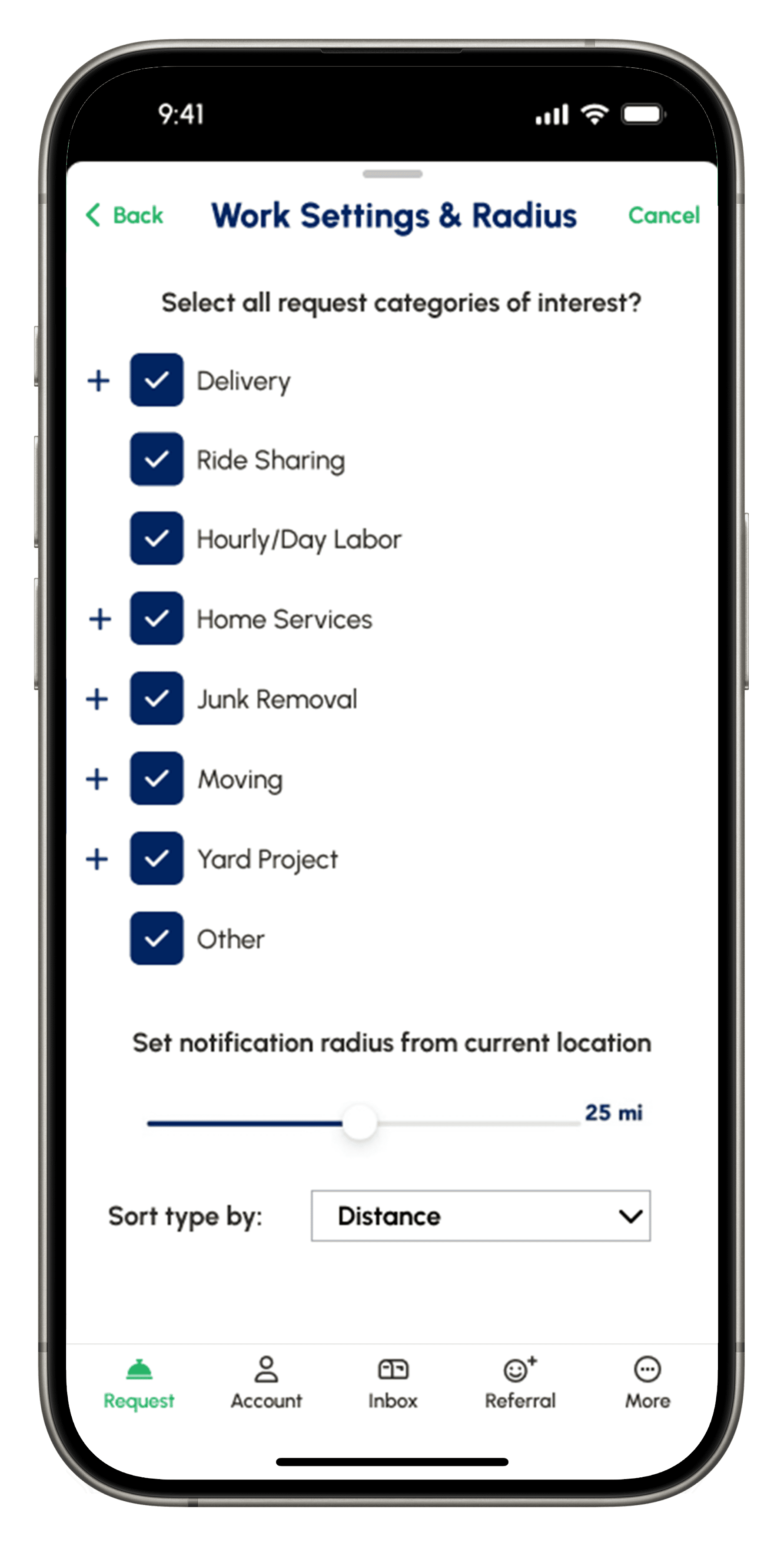
- Please set your Work Settings & Radius responsibly (ie: don’t set your work radius beyond 20 miles if you’re planning on just doing quick deliveries.
- If the details of a request are not clear, please message the Requestor before accepting.
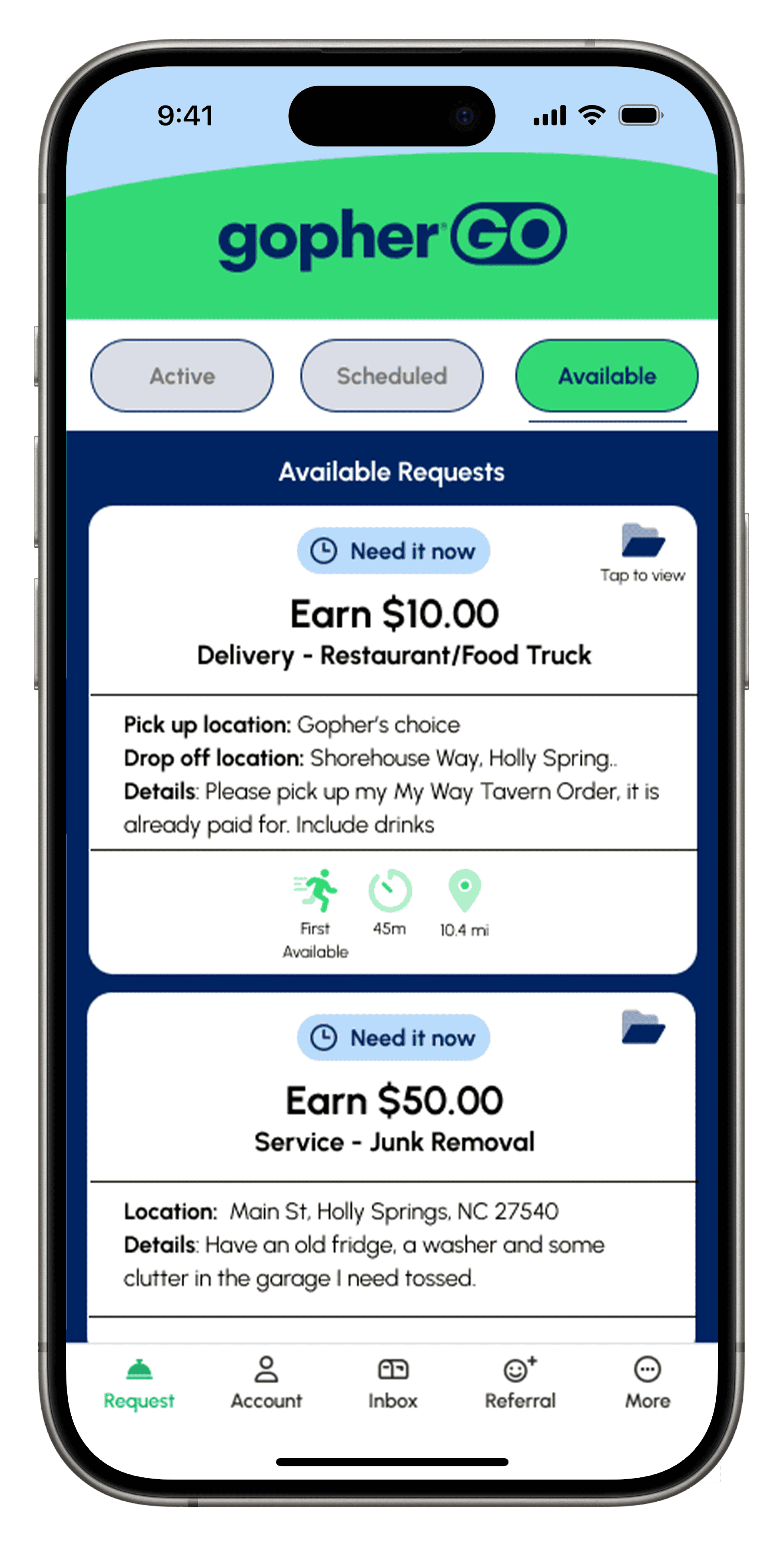
- A “Need It Now” request must be completed within an hour, unless agreed upon before accepting.
- When you accept a request, we encourage you to send a quick intro message to your customer.
- To prevent disputes, update your task progress accurately in the app.
- All updates are GPS stamped. Please make sure to update your progress accurately (while in the correct location), especially the destination location.
- Always be courteous when communicating.
- The Gopher who accepts the request must complete the request. There is no “subbing” work. Each worker must have their own verified account.
- Age-restricted deliveries are ALWAYS in-person. Contactless deliveries are ever permitted for these requests. If a customer asks you to do that, the answer is always NO.
- Take pride in your work! Always take a before and after pic if applicable to help your reviews. Keep in mind you always have an opportunity to be added as a Favorite Gopher after completed jobs.
- When you accept a request, you must complete it. Cancelations are a major inconvenience for the customer, and the platform. Here are 3 common unexcused cancellations that may unfortunately lead to removal from the platform:
- I don’t have the money to purchase the items: Like all requests, these are optional. Purchase needed requests are communicated clearly and in advance. Please don’t accept a purchase needed request if you are unable to pay upfront.
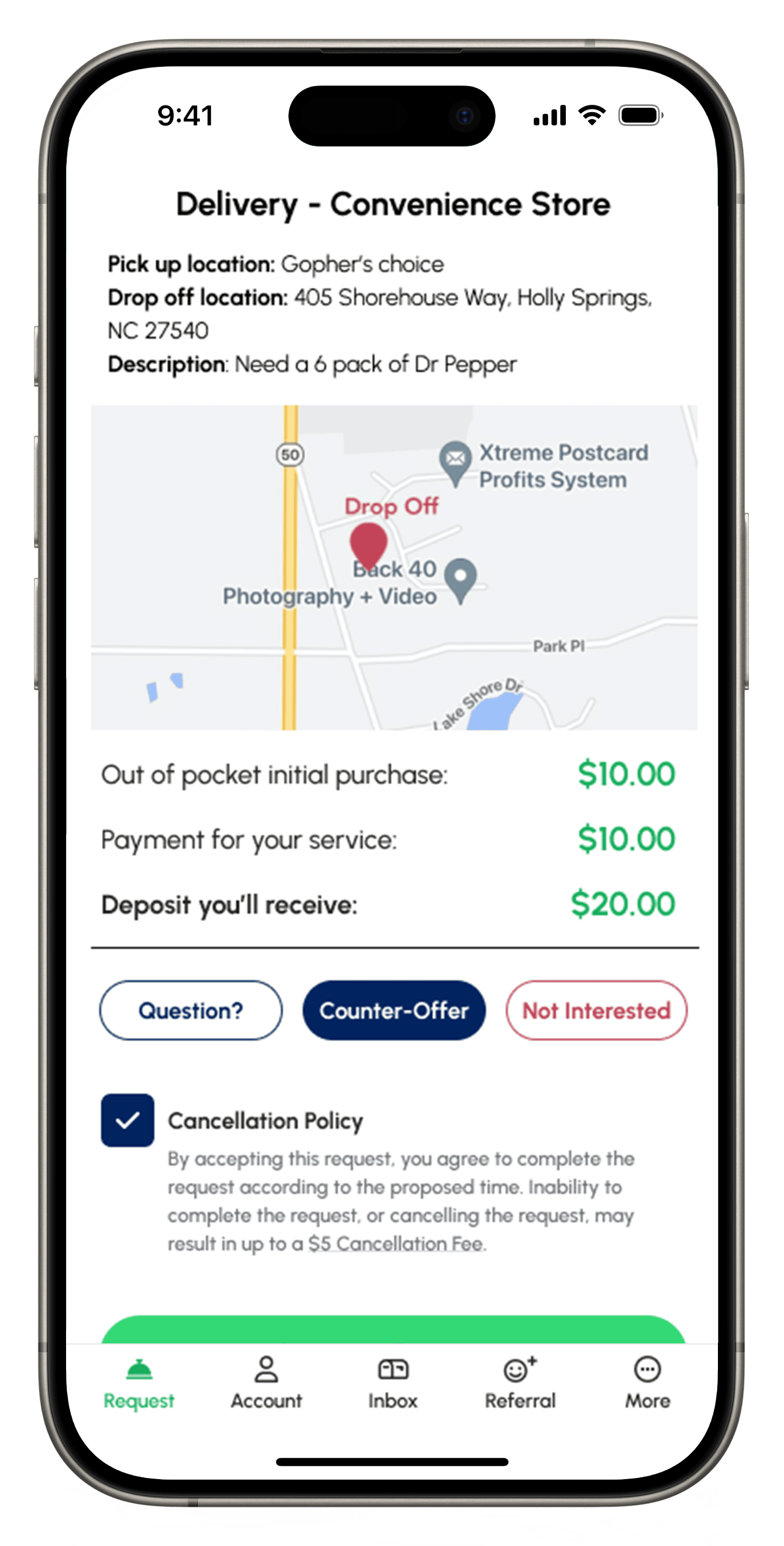
- The request is too far: Accurate milage between where you are and the destination is shown in advance. As is the trip distance between the pick-up and drop-off location. Please don’t accept the request if you’re not willing to travel that distance. If you feel more money should be earned, that is what the Counter-Offer feature is for.
- I didn’t mean to accept it: Ummm no!
Our goal is to provide you with a fully transparent platform, where job details and total earnings are clear from the start, and payouts are fast once the work is done. At the same time, we’re committed to our customers, so please put your best foot forward with every job. We’re confident you’ll find Gopher Go both fair and rewarding.
Have questions? We’ve have answers!
When do I receive my payout?
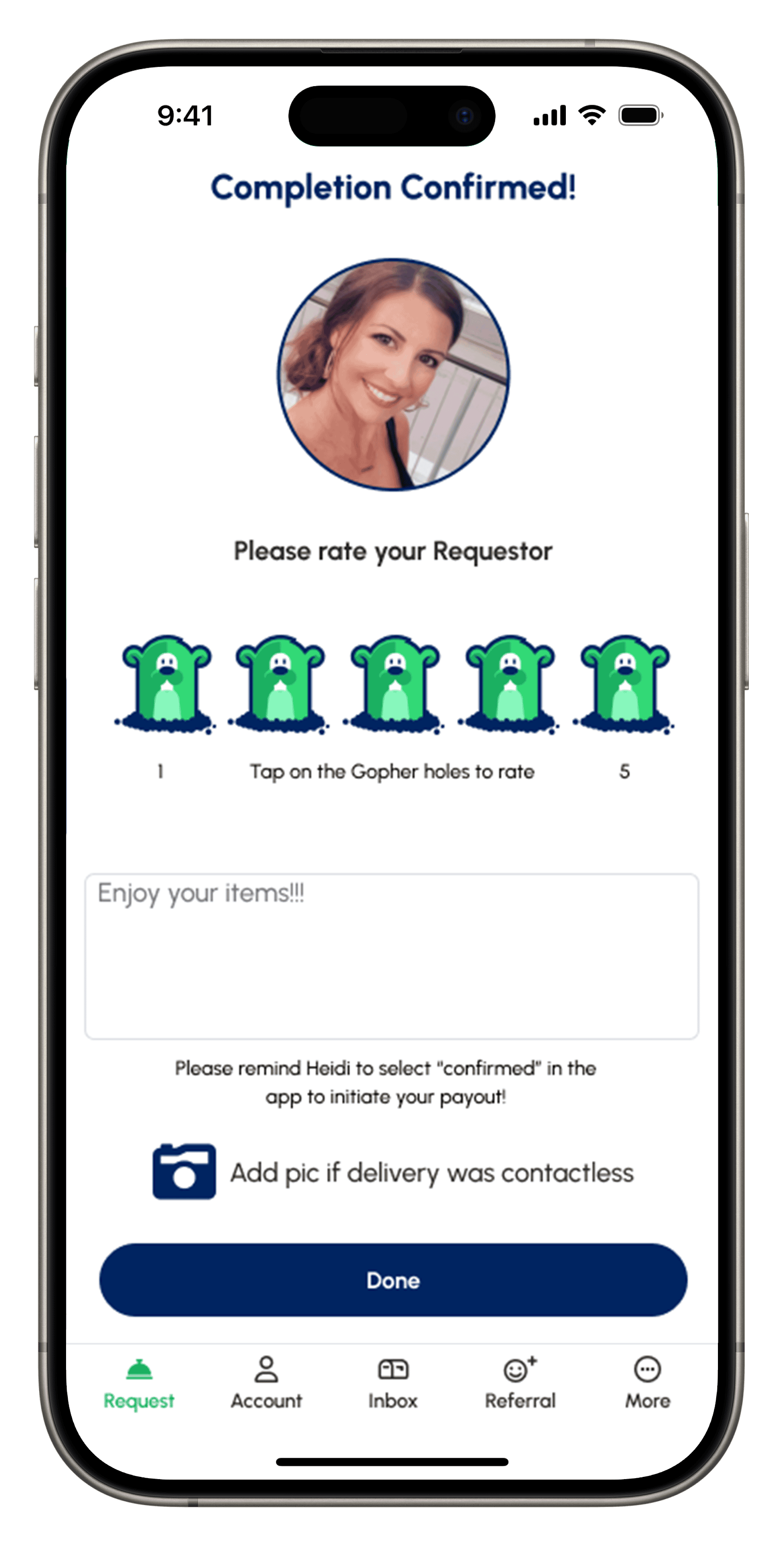
When a Gopher signs up, they receive their 1st 10 payouts at Stripe’s “Standard” US payout speed (Stripe says allow 2 business days however it is typically exactly 2hours). After 10 successfully completed requests, payout status is upgraded to “Instant Payout” and from there, payouts are immediately deposited after a completed request (1-2 minutes). Gopher Pros start with Instant Payout. Payouts are initiated when a Gopher updates the request status to “Complete” in the app. This triggers an SMS and App notification to the Requestor. They then select “Confirmed” or “Dispute”. When “Confirmed” is selected, the money will be transferred to the Gopher’s bank account on file. In the rare event the Requestor is unable (or forgets) to select confirmed on their end, payout automatically occurs after 48 hours. As a best practice, we recommend reminding the requestor when you see them in person to please select confirmed right then and there.
Payouts can be delayed for the following reasons:
- Expired card, unsupported card, compromised card, bank blocked card and/or cancelled card. (Updating to a valid card will resume any pending payouts, however this will cause a delay that cannot be sped up by Gopher… so please ensure your card is in good standing before completing a request.)
Why do I have to pay for the items requested?
If you are looking to accept a request where a purchase is needed, these require an initial out of pocket expense. This amount, along with the offer, are paid out immediately after the request is completed. You are never required to accept a “purchase needed” request and can always just ignore them (that applies to all requests). Because the Gopher marketplace doesn’t have structured partnerships/contracts with venders and/or merchants, users avoid having to pay extreme mark-ups as a result. When it comes to certain items requested, there are no options to purchase online or through an app, so the cost of goods option is how these are provided. Age-restricted items requested cannot be delivered by a Gopher under 21 years old and cannot be received by a user under 21 years old and must be proven by providing legal government issued identification. Please DO NOT accept a “purchased needed” request unless you have the funds available. This will be an unexcused cancellation and a major inconvenience to the customer, subject to a cancellation fee and or removal from the platform. (and that is the last thing we ever want to do!)
Why can I not see requests?
There are a few reasons that would represent not seeing requests:
1) If your Payout Account is not set up, you won’t be able to see full request details. Once your Payout Account is completed, you’ll be able to view and accept requests.
2) Your Work Settings & Radius is not complete. Once you have all of the job categories you’re interested in, and save, you’ll see all jobs with-in the radius you’ve set.
3) If Gopher is new to your area, there might not be any jobs posted currently.
What does "Make Me An Offer" mean?
We’ve added a new feature for when a Requestor doesn’t know exactly what a fair offer would be for a service. A Gopher will see exactly what is needed and where the price offer is normally listed, it will say, “Make Me An Offer“. If interested, they can accept the request and enter their cost for materials (if applicable) and how much they want to charge for the service. The bid will then be sent to the Requestor, where they can accept or decline the offer.